What it does
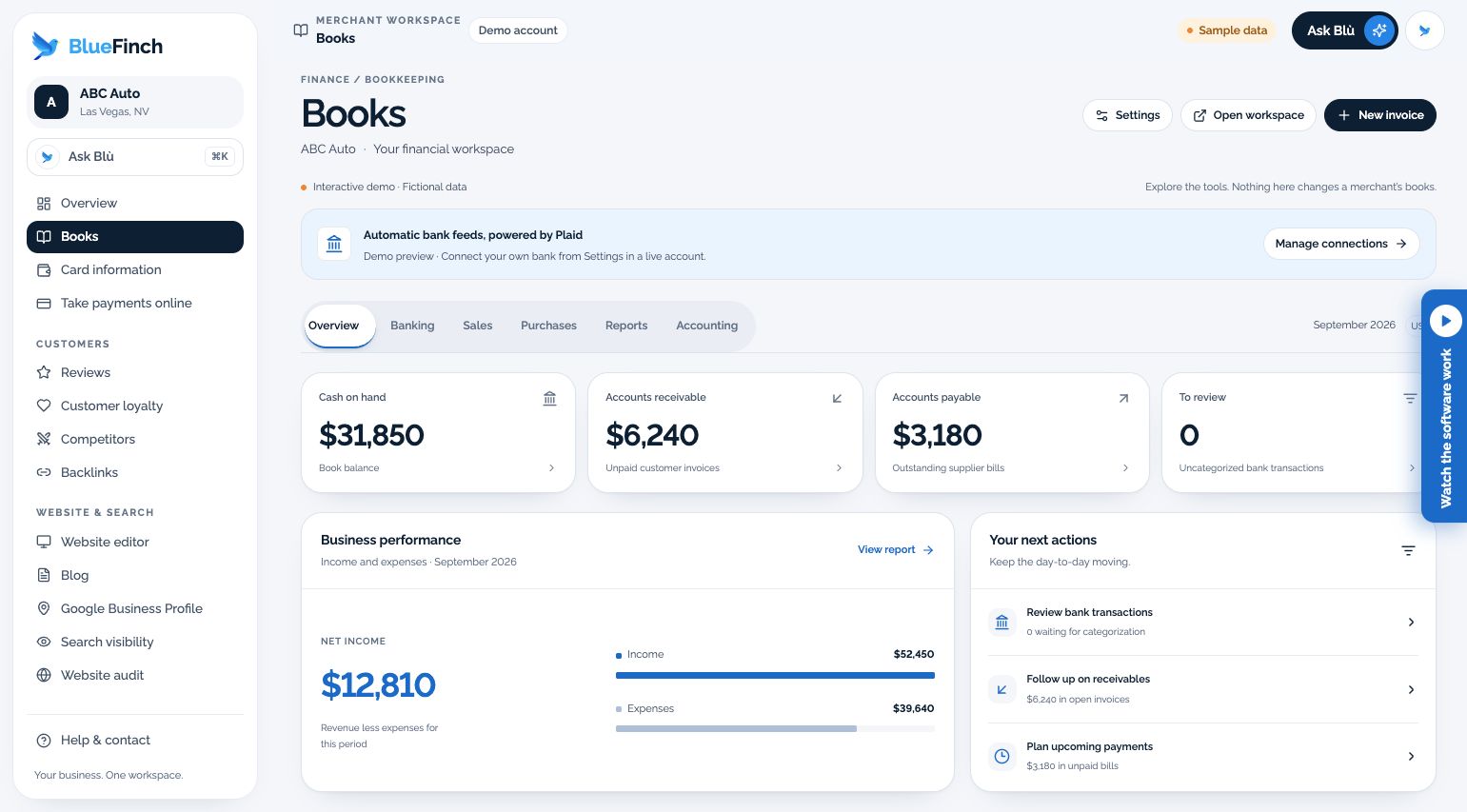
Review invoices, expenses, bank-feed activity and reports in a financial workspace, when Books is enabled for your account.
Copying figures from a banking app into a spreadsheet takes time. Books keeps the records together without skipping review or reconciliation.
What the workspace includes
Invoice, expense, and financial-report workspace
Bank-feed connection through Plaid when supported and enabled
Imported activity held for review and categorization
A controlled QuickBooks migration path where supported
Who it fits
Owners prepared to review and reconcile business records
Businesses evaluating a simpler financial workspace with their bookkeeper
When another solution may fit better
Payroll, tax filing, or a promise of professional bookkeeping labor
An automatic, unreconciled replacement of an existing accounting system
How you would use it
Confirm availability: Have BlueFinch confirm Books is enabled and ready for your account.
Connect or import: Authorize a supported bank or agree a migration cutover before importing existing records.
Review and reconcile: Categorize activity, check invoices and balances, and review reports with the person responsible for your books.
Data, connections, and automation
Supported bank connections require the merchant’s authorization. Currency, reporting period, supported import shape, and completeness determine which figures can be shown.
Configured bank sync can import supported activity. A bank connection does not automatically authorize posting or categorization, and a successful connection is not proof of a completed import.
Cost and eligibility
This tool has no additional software charge when it is listed as included in your eligible BlueFinch merchant package. Have BlueFinch confirm access, connected services and usage limits in writing. Payment processing and account-specific charges are separate.
For eligible U.S. BlueFinch merchant accounts with this tool enabled. A demo does not activate service or confirm your account’s access.
Availability: Limited rollout. Service area: Eligible businesses in the United States.
Wave lists a $0 Starter plan and a $19 USD/month Pro plan billed monthly. Pro includes bank-transaction imports. Payment processing and professional bookkeeping are separate; this is a scope comparison, not a guaranteed saving.
Limits to know
Books is in limited rollout; the demonstration is not confirmation of production access.
Do not disconnect existing accounting software until migration and opening balances have been checked.
This page does not include payroll, tax returns, a CPA, or an audit opinion.
Example workflow
A shop imports supported bank activity, reviews uncategorized transactions, and checks its unpaid invoices. Its bookkeeper verifies balances before using the reports for decisions.
Questions before you start
Is this available to every merchant today? No. Books has a limited-rollout access gate. Ask BlueFinch to confirm your account’s readiness before relying on it.
Does this replace my accountant? No. Software organizes records; it does not supply tax advice, reconciliation judgment, or professional sign-off.
How do I get this for my business? Ask your BlueFinch representative to confirm eligibility, included features, any extra charges, and setup requirements in writing. Existing customers can check their account; new customers can request a business review.