What it does
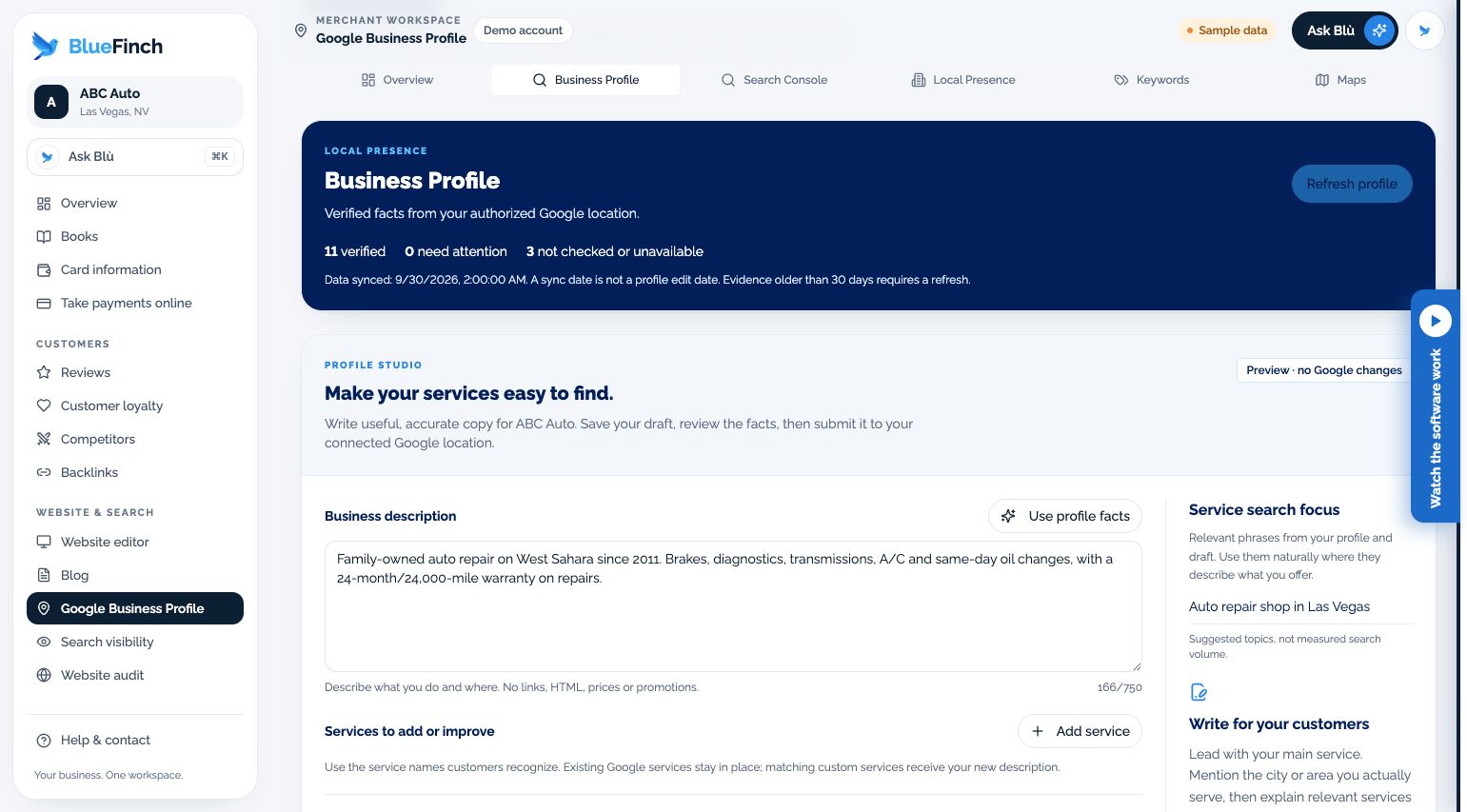
View your connected Google business profile and the performance information available in your merchant workspace.
Check which business location is connected and whether its permissions still work. Knowing that makes your business information easier to maintain.
What the workspace includes
Connected location and business-profile views
Available profile and performance information
Connection and permission status
Links to related review and search-visibility workflows
Who it fits
Businesses that manage an eligible Google Business Profile
Owners who want to keep profile work separate from website search reporting
When another solution may fit better
A promise that Google will verify or reinstate a listing
Control of a listing the connected Google user is not authorized to manage
How you would use it
Select the right location: Connect an authorized Google account and confirm the business identity.
Check the available information: Review profile details and the reporting period on any performance figures.
Follow the relevant task: Use reviews or visibility tools for their own distinct jobs.
Data, connections, and automation
Information returned for the authorized Google location. Profile details, website Search Console data, and geographic ranking scans are different sources.
Refresh depends on the Google connection, granted permissions, account configuration, and provider availability.
Cost and eligibility
This tool has no additional software charge when it is listed as included in your eligible BlueFinch merchant package. Have BlueFinch confirm access, connected services and usage limits in writing. Payment processing and account-specific charges are separate.
For eligible U.S. BlueFinch merchant accounts with this tool enabled. A demo does not activate service or confirm your account’s access.
Availability: Authorized Google connection. Service area: Eligible businesses in the United States.
Google Business Profile itself has no profile-management subscription. Any software comparison should be about added workflow and reporting value, not charging for ownership of a Google listing.
Limits to know
Google controls listing eligibility, verification, content policy, and available APIs.
Connecting an account does not prove every permission or historical data range is available.
Profile activity is not automatically attributable revenue.
Example workflow
An owner confirms the correct branch is connected, checks its public contact details, and opens the review workspace to respond to recent feedback.
Questions before you start
Is this the same screen as Maps rankings? No. The Google Business Profile workspace shows the connected profile. Maps tracking measures search positions across chosen locations.
Do I still own my Google listing? Connecting a tool is not a transfer of business ownership. Keep your own authorized Google access and review the permissions you grant.
How do I get this for my business? Ask your BlueFinch representative to confirm eligibility, included features, any extra charges, and setup requirements in writing. Existing customers can check their account; new customers can request a business review.