What it does
Read your statement and verify the extracted figures. Compare the full processing cost, not just the advertised rate.
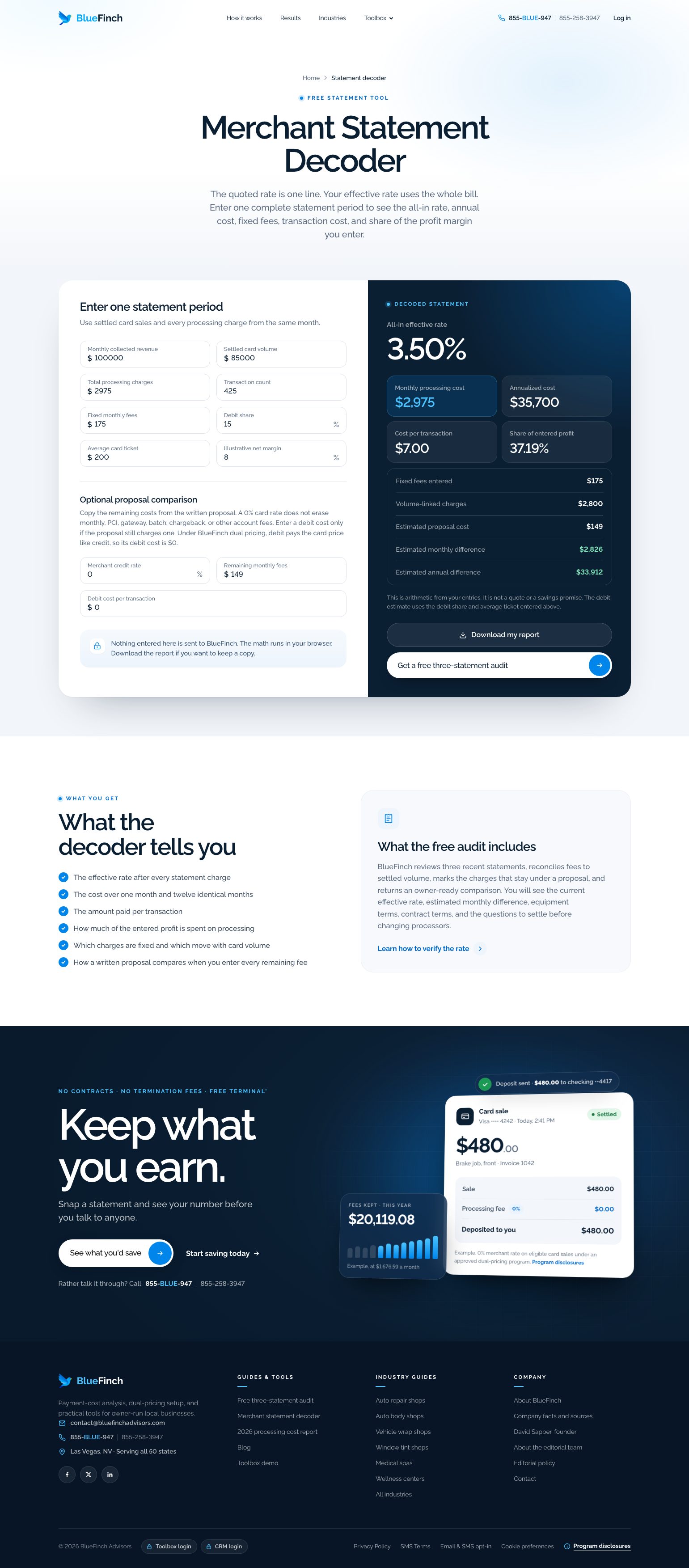
Your quoted percentage might leave out per-transaction and monthly charges. Calculating the effective rate brings fees and settled sales for the same period together.
What the workspace includes
Browser-based reading of up to three PDF, JPG, or PNG statements, up to 15 MB each
Editable figures so you can correct reading errors
Current monthly cost and effective-rate arithmetic
A separate manual statement decoder for figures you already know
Who it fits
Owners comparing statements with different fee labels
Businesses preparing for a written processing review
When another solution may fit better
A binding rate quote based on an incomplete or unverified statement
Assuming every fee disappears under dual pricing
How you would use it
Use the same period: Match settled card sales with all processor-assessed fees for that month.
Check the reading: Correct volume, transaction charges, and monthly fees before relying on the result.
Compare complete terms: Review debit treatment, monthly charges, gateway costs, and underwriting before deciding.
Data, connections, and automation
Quick Quote reads the statement in your browser and sends BlueFinch a copy of the statements and quote for follow-up, as disclosed on that page. The manual decoder lets you work from typed figures.
Statement reading assists data entry; it does not silently validate every extracted number. Check the fields before treating an estimate as accurate.
Cost and eligibility
The public statement tools have no software charge. Any processing proposal is separate and subject to written terms and underwriting.
Anyone can use the public tools without opening a merchant account.
Availability: Public tool. Service area: Designed around U.S. merchant-processing statements.
All-in effective rate = total processor-assessed fees ÷ settled card sales × 100. Use the same period and avoid counting the same charge twice.
Limits to know
OCR can misread amounts or omit a fee. Review every material figure.
Multiple statements are averaged; differences between months may still need investigation.
A 0% eligible merchant credit-card rate is not the removal of every debit, monthly, PCI, chargeback, or gateway charge.
Example workflow
Illustrative arithmetic: $1,500 of total fees on $50,000 of settled card sales is a 3.00% effective rate. This is a calculation example, not a BlueFinch offer or measured customer result.
Questions before you start
Are my statements kept entirely on my device? No. Quick Quote reads on your device, but its disclosed follow-up workflow sends BlueFinch a copy of added statements and the quote. Read that page’s disclosure before adding a file.
Can I use it without uploading a file? Yes. The manual statement decoder works with figures you enter. You can also correct the figures in Quick Quote.
Is the result my approved rate? No. It is an estimate. Written account terms and underwriting determine the actual offer.