The short version
- Show the payment choice in every channel.
- Test debit, digital wallets, refunds and failed connections.
- Save a lasting record of authorization.
- Match remote collections to the correct sale.
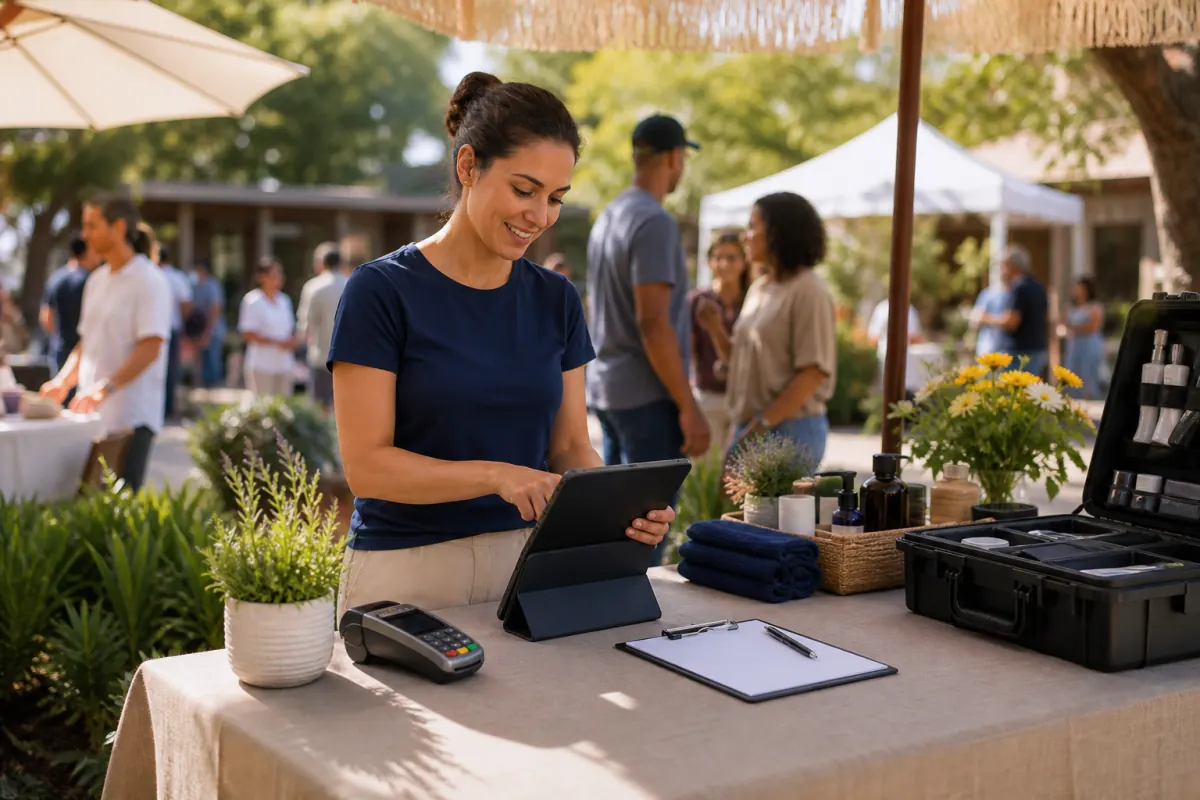
Pop-up classes, retreats, corporate visits, fairs and mobile sessions take payments away from the usual counter. Poor signal and shared devices can make staff more likely to take shortcuts.
Check price disclosure and reconciliation when you take payments away from the front desk. Work through a recent wellness center sale with its payment records.
Interactive owner tool
Wellness Center Payment-Channel Checklist
Check a channel after a live test gives you the correct price, receipt and settlement record.
- Credit payment at the counter
- Debit payment at the counter
- Digital wallet payment
- Payment with a mobile reader
- Deposit through booking
- Payment by text or email
- Refund of part of a payment
- Recovery from a failed connection
Change the inputs on the live page. The calculator runs in your browser, using only the values you enter.
Use with this guide
Wellness pop-up payments: review uncertain terminal status
Review uncertain wellness pop-up card payments before retrying or counting event income. Use the terminal-status sheet for actual provider evidence and owned follow-up.
Browse the complete wellness center guides and worksheets.
Show the price where the customer pays
Test where the customer actually pays. For wellness centers, this might be a counter, mobile reader, booking page, text link or emailed invoice. A sign elsewhere doesn't show the price on the remote authorization screen.
Counter signage won't show the price to someone paying at a mobile job or event, or through an emailed invoice, booking page or text link. Present the price choice in the channel where they authorize the payment.
For wellness centers, use the right payment totals. Include completed card payments and deposits paid by card only once. Leave cash, checks, ACH, employer invoices, financing proceeds, gift-card redemptions and unpaid bookings out of the total.
Work through "mobile and pop-up wellness event payment checklist" with a real transaction
Test event registration, deposits, readers, booking links, wallets, debit and weak connections, then check receipts, refunds, attendee records and settlement.
Check price disclosure and reconciliation when you take payments away from the front desk. Review a completed wellness center sale, not just a demonstration. Have the original amount, payment method, customer terms, changes, receipt, settlement record and any later adjustment beside you.
- For Mobile and Pop-Up Wellness Event Payment Checklist, the "explain before booking" step: Show payment options and cancellation terms before taking a deposit or storing a card. Identify the screen, document and person responsible for this step.
- For Mobile and Pop-Up Wellness Event Payment Checklist, the "link the service and payment" step: Match the payment to the appointment, attendee, package balance, instructor, location and written terms. Identify the screen, document and person responsible for this step.
- For Mobile and Pop-Up Wellness Event Payment Checklist, the "keep a membership record" step: Record recurring permission, billing dates, retries, freezes, cancellations, credits and refunds together. Identify the screen, document and person responsible for this step.
- For Mobile and Pop-Up Wellness Event Payment Checklist, the "separate the payment channels" step: Distinguish studio payments, mobile jobs, events, corporate invoices, product sales and later adjustments. Identify the screen, document and person responsible for this step.
Work with the Wellness Center Payment-Channel Checklist
Keep your source reports beside the tool. Test a small payment and a large payment in every live channel. Test voids, partial refunds, debit cards, digital wallets and connection failures too. Save the screenshots and receipts.
- Terminal or mobile reader used in person
- Booking page and how it takes deposits
- Text-to-pay link or emailed invoice
- How debit and digital wallets are handled
- Records produced for receipts, refunds and settlement
Wellness center: payment-channel test steps
Follow a recent wellness center sale through this table. It lists the industry's usual handoffs; replace the labels with the documents or screens your team uses.
| Stage | What to verify | Purpose |
|---|---|---|
| Explain before booking | Show payment options and cancellation terms before taking a deposit or storing a card. | File the payment-channel test record here. |
| Link the service and payment | Match the payment to the appointment, attendee, package balance, instructor, location and written terms. | File the payment-channel test record here. |
| Keep a membership record | Record recurring permission, billing dates, retries, freezes, cancellations, credits and refunds together. | File the payment-channel test record here. |
| Separate the payment channels | Distinguish studio payments, mobile jobs, events, corporate invoices, product sales and later adjustments. | File the payment-channel test record here. |
What to save for the payment-channel test
File these records while you can still trace the sale easily. A refund, cancellation, failed collection or dispute makes missing records much harder to reconstruct.
- Document or screen the customer saw before payment
- Amount authorized and payment method chosen
- Identifier and receipt for the transaction
- Link to the job, appointment or invoice
- History of voids, refunds, failures and retries
What BlueFinch would check for wellness centers
BlueFinch would use the same wellness center payment mix to compare all proposed percentage charges and fixed fees. Monthly, PCI, gateway, batch, chargeback, software and other account-specific costs may still apply.
BlueFinch currently offers a standalone terminal at no charge, without an equipment lease, long-term contract or cancellation fee. Eligible, configured credit and debit transactions can have a 0% merchant processing rate after review of the state, network, acquirer, written price display and payment channels.
Questions business owners ask
Does counter signage cover online or text payments?
No. Show the approved price choice in the remote payment process before authorization.
Which exceptions should we test first?
Start with debit, a digital wallet, a partial refund and a failed connection. These tests can quickly reveal problems with the channel setup.
When do wellness centers need help with the review?
Pause if the statement, written price, customer documents, terminal or receipt disagree. Before the wellness center launches, its processor or acquirer should approve the specific setup.
Primary sources
BlueFinch last reviewed these sources on August 11, 2026. Payment rules and state requirements can change.
- Visa: Merchant Surcharging FAQs
- Mastercard Rules
- PCI Security Standards Council: Card Verification Codes and Recurring Payments
- Federal Trade Commission: Negative Option Rule
Use this page for general business information. It is not legal, tax, or accounting advice.