Compare the revised balance with payment consent
Apply approved changes and earlier payments, then compare the remaining balance with documented charge permission.
Use the interactive tool without signing up. It runs in your browser: enter your numbers, save a comparison, download results or print a working copy. Your numbers are not sent to BlueFinch.
Illustrative example inputs
These starting values show how the math works. They are not industry averages, customer results or a quote.
| Input | Example value |
|---|---|
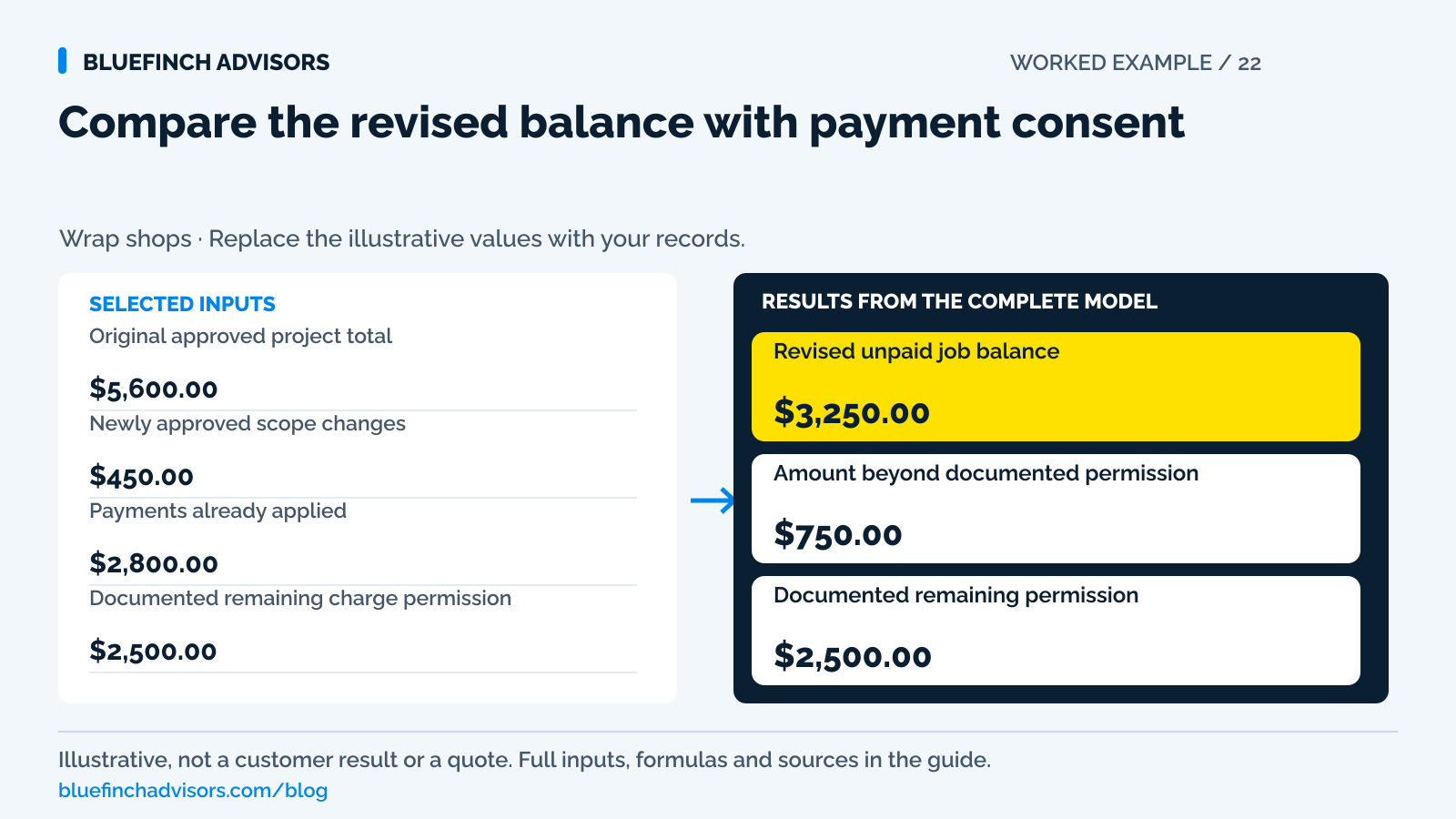
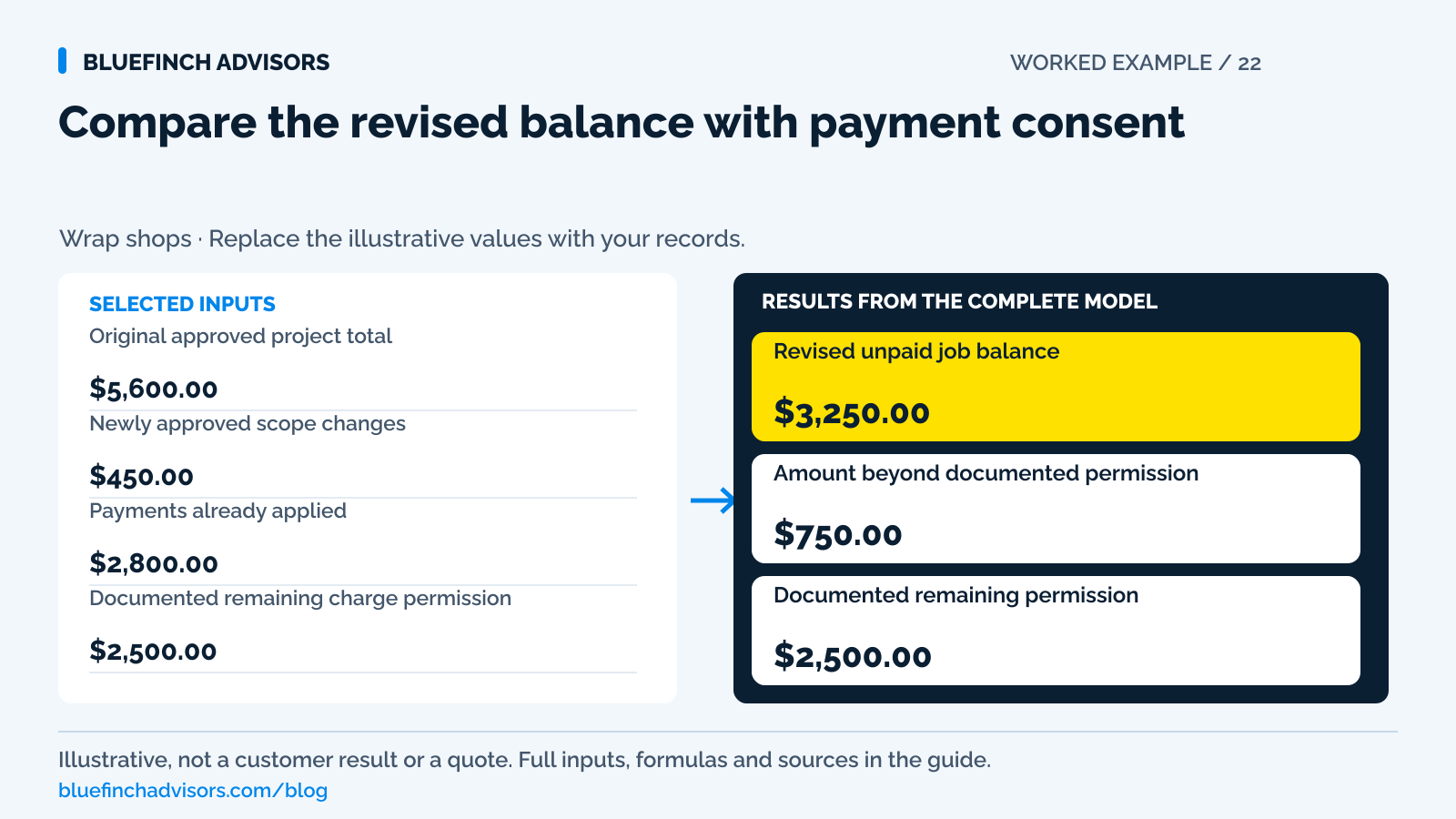
Original approved project total Use the selected customer payment-price basis. | $5,600.00 |
Newly approved scope changes Only changes already approved commercially; exclude proposed work. | $450.00 |
Payments already applied Net completed payments for this job. | $2,800.00 |
Documented remaining charge permission Amount covered by the actual unconsumed consent being reviewed; not the card's credit limit. | $2,500.00 |
Example results
| Measure | Result |
|---|---|
Revised unpaid job balance Approved total and changes less applied payments. | $3,250.00 |
Amount beyond documented permission Positive is a consent gap; negative is unused permission, not a reason to overcharge. | $750.00 |
Documented remaining permission A record to verify, not authorization issued by this calculator. | $2,500.00 |
Calculation detail
| Measure | Result |
|---|---|
| Approved project after changes | $6,050.00 |
| Prior payments | $2,800.00 |
Model assumptions
- Starting values are examples, not market benchmarks or payment quotes.
- Use one currency and a consistent before-tax basis. Work out taxes and program-specific adjustments separately.
Read alongside these results
- No result authorizes a charge or validates consent wording.
- A saved token, issuer approval, or approved scope change does not replace appropriate permission for the specific payment.
Download this worked example (CSV). Use the interactive version to export your own inputs and results.
Download infographic (PNG) · Download vector (SVG) · Link to the source and methodology

The short version
- Record storage consent, charge consent and scope approval separately.
- Compare the revised balance with the amount covered by documented payment permission.
- Use a hosted request when fresh customer participation is needed. Never store a verification code.
The deposit card is saved. The customer approves extra trim removal by text. At delivery, a staff member sees a charge button beside the revised invoice and assumes those two facts are enough to collect the entire balance. That is the point where a convenient feature can outrun the actual agreement.
Check the approved work, revised amount and permission to use the payment method. The worksheet compares the approved unpaid job balance with the remaining documented charge permission; it doesn't judge whether that consent is legally sufficient. Resolve a positive permission gap before charging, even if the stored card is technically usable.
Use with this guide
Use a current payment request
Give customers a supported way to authorize the revised balance.
Test the stored-card workflow
Check the evidence and reporting available from the actual software.
Link scope approval to payment
Keep the agreed work and payment references in one job history.
Browse the complete vehicle wrap guides and worksheets.
Record storage permission, scope approval and payment consent
Storage consent concerns keeping a payment method for defined future use. Scope approval concerns the work and its price. Payment consent concerns initiating a particular payment or an agreed sequence under stated terms. A system may collect some of these together, but the record should still explain them. When the job changes, staff need to know whether the payment terms already cover that type of change or whether fresh customer participation is required.
Stripe's saved-payment documentation says a saved method may be used only for the specific usage included in the terms. It calls for explicit consent to off-session use and a record of the written agreement, including how amounts are determined and anticipated timing. That is primary documentation for Stripe's flow, not a legal opinion on another processor's contract. Ask the shop's provider what its supported stored-credential process requires and verify the actual customer-facing agreement.
Sources for this section: Stripe: consent for saving and reusing payment methods
The sample has a $750 authorization gap
The illustrative original project totals $5,600. A newly approved scope change adds $450, producing a $6,050 job. Payments already applied total $2,800, leaving $3,250 unpaid. The documented remaining charge permission entered in the worksheet is $2,500. The difference is $750. That is the amount by which the proposed balance exceeds this particular permission record, not a fee or an additional amount owed by the customer.
Do not respond by charging $2,500 automatically and leaving $750 for later without checking the agreement. The consent may concern one final payment, a specific milestone, or a particular price choice. Instead show the customer the revised $3,250 balance and obtain an appropriate payment authorization or let the customer pay through a supported link. If documented permission is larger than the balance, collect only the actual approved amount owed. Unused permission is not revenue.
Keep evidence of permission without keeping card secrets
Store the invoice number, version of the terms, consent time, customer identity within the system's supported workflow, and the payment reference. Use the provider's tokenized payment-method reference where available. Do not ask staff to photograph the card or type security codes into job notes as a substitute for a supported payment flow. A faster return visit does not justify building a second, informal card vault inside the CRM.
PCI SSC explicitly prohibits storing card verification codes after authorization, even with customer permission. The rule covers recurring and card-on-file use and still applies when the value is encrypted. If an existing workflow asks a customer to email a card image or puts the verification code on a paper approval form, stop using that collection method and ask the provider for its supported replacement. The job file needs permission evidence, not sensitive authentication data.
Sources for this section: PCI SSC: verification codes cannot be stored after authorization
Reconfirm the price choice when it is part of the payment decision
A saved card may have been used for a deposit while the customer intended to bring cash or another accepted method for the balance. Do not treat saving that card as an election to pay every later amount at the regular card price. If the shop offers dual pricing, the revised quote and payment request should present the applicable prices before the customer authorizes the payment. Use the approved configuration for any mixed-tender adjustment.
If the shop instead uses a surcharge program, apply its own disclosures and funding-type checks. Mastercard excludes debit and prepaid from its surcharge permissions. Running a stored debit credential without a PIN does not make it credit. The calculator therefore accepts an already established customer amount rather than creating a fee from the remaining balance. Price presentation and payment consent must agree; neither should be inferred from the presence of a token.
Sources for this section: Mastercard: merchant surcharge rules and debit exclusions
Use the supported recovery process for a failed charge
A customer-approved payment can fail because the issuer requires participation, the credential changed, or the account is unavailable. Stripe's saved-method guidance directs failed off-session payments back into a customer-facing payment flow. Use the equivalent supported process with the shop's provider. Do not keep trying increasingly small amounts to discover what will pass, and do not ask for verification codes in ordinary email to repair the failure.
Check transaction status before sending another link. An authorization that has not been captured, a failed attempt, and a completed charge require different actions. Stripe's separate-capture documentation explains that authorizations expire if not captured in time. A pending bank display can confuse the customer even when the shop has received no funds. Give a factual status explanation and maintain one current request so repeated attempts do not create duplicate collection.
Sources for this section: Stripe: consent for saving and reusing payment methods · Stripe: separate authorization and capture
Test the changed job, not just the first deposit
Ask the payment provider to demonstrate a deposit, an approved scope increase, a changed payment method, a failed stored-card attempt, and the final receipt. Check what the customer sees and what the office can later retrieve. A feature labeled card on file may store a token without providing the approval history the business needs. Keep sales and production records linked to the payment reference even if the system does not integrate them automatically.
For the next changed job, have the front desk read the exact consent record before collecting. If its meaning is unclear, use a fresh supported customer authorization instead of relying on memory. This worksheet does not replace counsel, network rules, or provider configuration. It makes the amount mismatch visible and gives the staff a concrete question: which documented permission covers this revised payment, on this date, using this chosen price?
Questions business owners ask
Does approval of a texted change order permit charging the saved card?
Not necessarily. The text may approve the work and price without authorizing that payment method or timing. Review the actual consent and obtain a supported fresh authorization where needed.
Can a customer give permission to keep the card security code?
No. PCI SSC says customer permission does not allow storing verification codes after authorization, including for card-on-file or recurring use.
What if the permission amount exceeds the amount due?
The excess is unused permission, not a collectible charge. Collect only the approved outstanding amount and retain the correct final receipt.
Primary sources
BlueFinch last reviewed these sources on October 2, 2026. Payment rules and state requirements can change.
- Stripe: consent for saving and reusing payment methods
- PCI SSC: verification codes cannot be stored after authorization
- Mastercard: merchant surcharge rules and debit exclusions
- Stripe: separate authorization and capture
Use this page for general business information. It is not legal, tax, or accounting advice.