Check one glass invoice's payer balances
Use the current invoice and confirmed payer amounts. Enter receipts for that same invoice before processing fees.
Use the interactive tool without signing up. It runs in your browser: enter your numbers, save a comparison, download results or print a working copy. Your numbers are not sent to BlueFinch.
Illustrative example inputs
These starting values show how the math works. They are not industry averages, customer results or a quote.
| Input | Example value |
|---|---|
Final invoice total Apply the same treatment of applicable tax to the invoice and all payer amounts. | $1,500.00 |
Confirmed customer responsibility Use the documented deductible and customer-approved items. Don't infer what the policy covers. | $500.00 |
Confirmed insurer responsibility Use the approved amount for this invoice, leaving unresolved amounts unassigned. | $1,000.00 |
Confirmed other-payer responsibility Enter a documented third payer's amount without duplicating the allocations above. | $0.00 |
Customer receipts applied Enter gross customer payments applied here, before processing fees. | $200.00 |
Insurer receipts applied Enter actual insurer receipts applied here, not approvals or expected remittances. | $800.00 |
Other-payer receipts applied Count actual third-payer receipts applied to this invoice once. | $0.00 |
Example results
| Measure | Result |
|---|---|
Invoice balance after all receipts | $500.00 |
Customer balance / excess receipt | $300.00 |
Insurer balance / excess receipt | $200.00 |
Unassigned amount / over-assignment | $0.00 |
Calculation detail
| Measure | Result |
|---|---|
| Invoice total | $1,500.00 |
| Customer responsibility entered | $500.00 |
| Insurer responsibility entered | $1,000.00 |
| Other payer responsibility entered | $0.00 |
| Total assigned | $1,500.00 |
| Customer receipts | $200.00 |
| Insurer receipts | $800.00 |
| Other payer receipts | $0.00 |
| Total receipts | $1,000.00 |
| Other payer balance / excess receipt | $0.00 |
| Assigned balances after receipts | $500.00 |
Model assumptions
- The defaults are fictional. Deductibles, coverage and payer amounts aren't inferred.
- Use one invoice version with a consistent tax basis. The worksheet doesn't determine insurance coverage.
- Apply gross receipts before card fees, recording those fees as shop expenses.
- Negative payer balances and amounts assigned above the invoice total remain visible. They don't trigger refunds or authorize rebilling.
Read alongside these results
- Confirm responsibility before allocating payer amounts. This calculation doesn't determine coverage, deductibles or reimbursement rights.
- Apply gross receipts to this invoice before fees. Processing costs don't create another customer or insurer balance.
- A negative payer balance indicates excess receipts or an allocation error. Review it before deciding whether to refund.
- Keep the invoice version and currency consistent, with the same tax treatment in invoice and payer totals.
Download this worked example (CSV). Use the interactive version to export your own inputs and results.
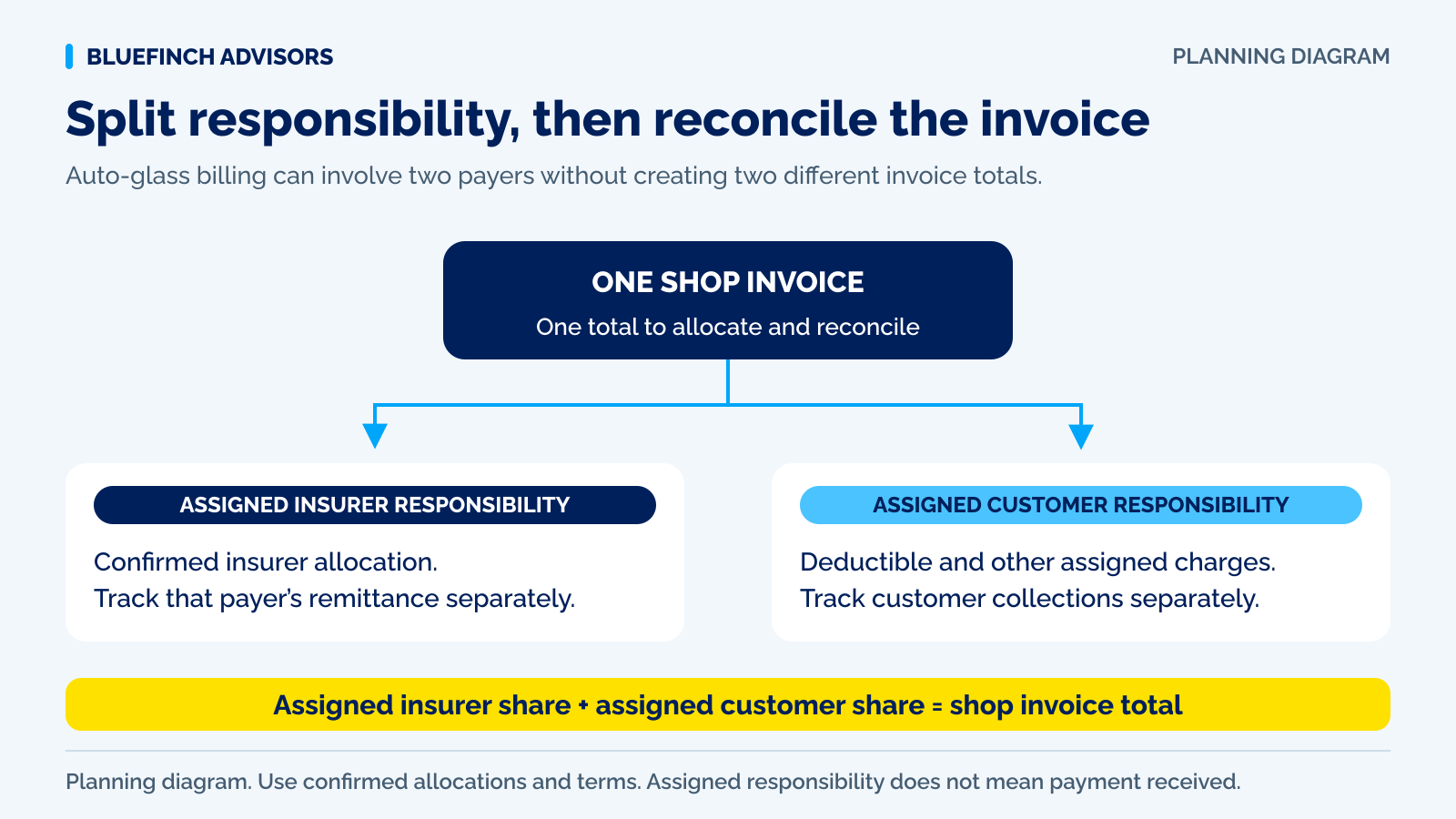
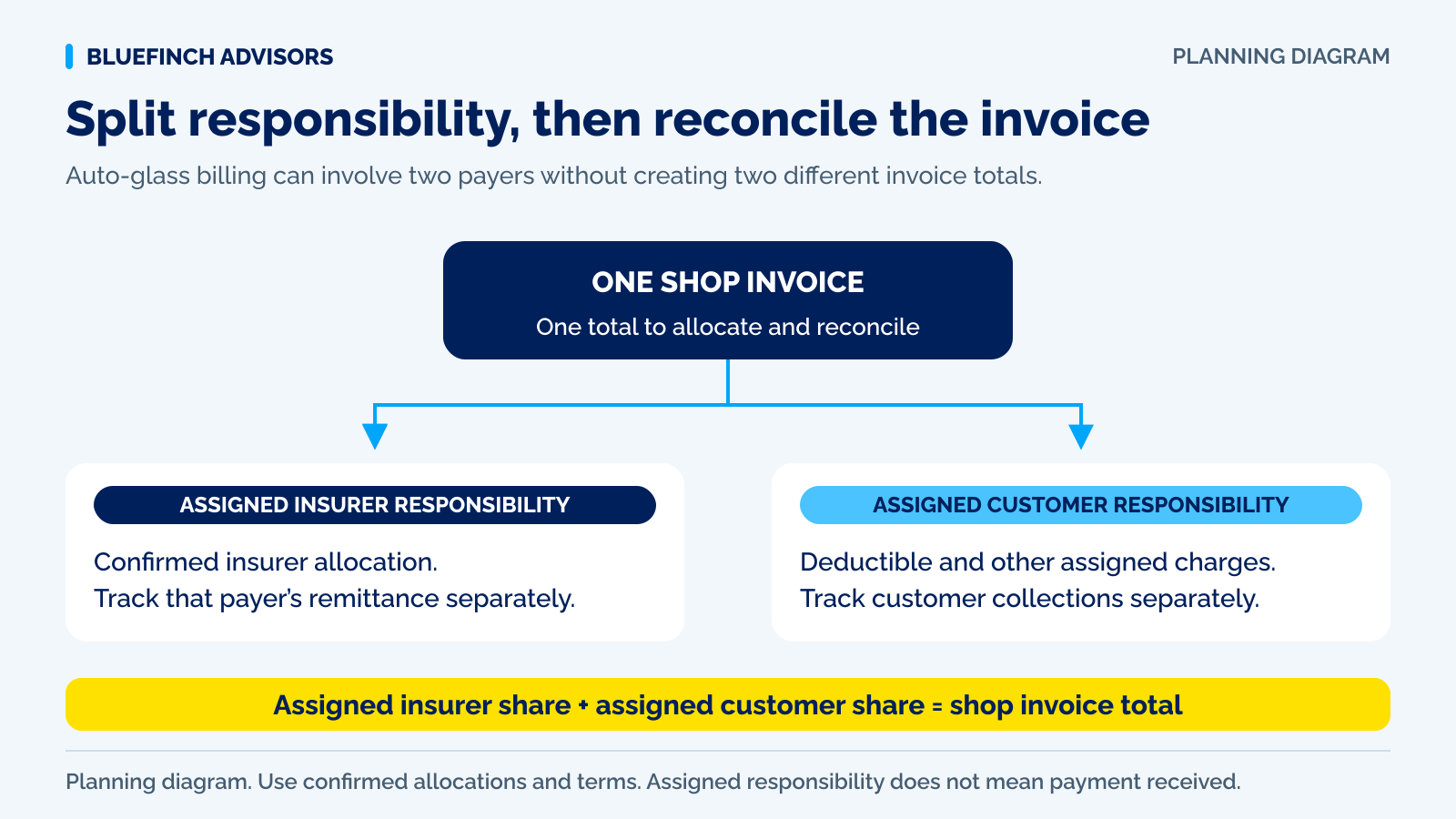
Download infographic (PNG) · Download vector (SVG) · Link to the source and methodology

The short version
- Use confirmed payer amounts; don't assign the remainder to the insurer by assumption.
- Apply gross receipts to the invoice before deducting processing fees.
- Leave unresolved responsibility clearly marked as unassigned.
A customer pays part of a glass invoice and the insurer sends money later. Who owes what remains: the customer, the insurer, or a payer whose responsibility is still unresolved? The total invoice balance alone can't answer that.
Match the final invoice with confirmed payer responsibility and actual receipts using this calculator. It doesn't determine coverage or assign a deductible for you. Enter amounts from confirmed records for this repair.
Use with this guide
Fleet invoice checklist
Check payer details, the PO, approvals and the invoice handoff before billing.
Browse the complete auto body guides and worksheets.
Confirm each payer's responsibility first
Safelite's coverage FAQ tells customers to check their policy and deductible with the insurer. In your billing file, record the decision for this job rather than treating a common deductible as proof of coverage.
Enter the confirmed customer, insurer and other-payer amounts. Keep unresolved supplements and unapproved items unassigned until responsibility is established. The calculator doesn't give the invoice remainder to the insurer automatically, which would conceal a missing payer decision.
Sources for this section: Safelite: insurance coverage and claims questions
Example: a $500 balance split between two payers
For a fictional $1,500 invoice, the customer is confirmed responsible for $500 and the insurer for $1,000. Applied receipts are $200 from the customer and $800 from the insurer. The $1,000 collected leaves a $500 invoice balance.
Of that $500, the customer owes $300 and the insurer $200, with nothing unassigned. If confirmed insurer responsibility drops to $900 and the customer stays at $500, the worksheet shows $100 unassigned. It doesn't move that amount to the customer silently.
| Payer | Assigned | Received | Balance |
|---|---|---|---|
| Customer | $500 | $200 | $300 |
| Insurer | $1,000 | $800 | $200 |
| Other | $0 | $0 | $0 |
| Total | $1,500 | $1,000 | $500 |
Don't turn processing fees into a payer balance
Apply a customer's $200 card payment as a $200 receipt even if fees reduce the bank deposit. Using only the net deposit would make processing costs look like another customer balance. Record fees separately and reconcile the gross payment with the bank deposit.
Update the invoice version if calibration or another approved service changes its total. California BAR's windshield estimate guidance includes identifying OEM or non-OEM glass and how long installation prevents vehicle operation. That state-specific documentation example doesn't determine coverage or replace current job requirements.
Sources for this section: California Bureau of Automotive Repair: Write It Right
Use differences to find records needing review
If the unassigned amount is negative, payer allocations exceed the invoice. A negative customer or insurer balance means receipts from that payer exceed its allocation. Before moving money, check for duplicate receipt applications, the invoice version and payer approval records.
The calculator finds numerical differences, not who owes a disputed supplement, whether a refund is due or whether calibration will be approved. Resolve those decisions through the applicable agreement, approvals and service records in your own system.
Questions business owners ask
Will the calculator work out the customer's deductible?
No. Use confirmed responsibility from this claim and agreement. It doesn't read insurance policies or assume coverage.
Can I use the net bank deposit as a receipt?
Enter the gross payment applied before processing fees. A net deposit can incorrectly leave the fee showing as an unpaid payer balance.
Why is a payer balance negative?
That payer's receipts exceed the responsibility entered. Check payment applications, the invoice and approvals before refunding or reallocating money.
Primary sources
BlueFinch last reviewed these sources on September 7, 2026. Payment rules and state requirements can change.
- Safelite: insurance coverage and claims questions
- California Bureau of Automotive Repair: Write It Right
Use this page for general business information. It is not legal, tax, or accounting advice.